Your Retail Workspace

Point of Sale Software That Gives You Peace of Mind.

Nexill POS is designed for independent store owners who want a stress-free checkout experience. It runs reliably offline on your Windows PC, touchscreen POS, or tablet, working seamlessly with your existing receipt printers, barcode scanners, and standalone payment terminals.

Windows installer for store counters. Need help with setup or rollout? Contact support.

Offline-first operation Windows-ready workflow Cashier-first interface Practical daily control

See the workflow

A quick look at the retail workflow

From product search and sale review to receipts and daily follow-up, Nexill is built to keep the counter clear and the store organized.

Checkout preview Windows installer
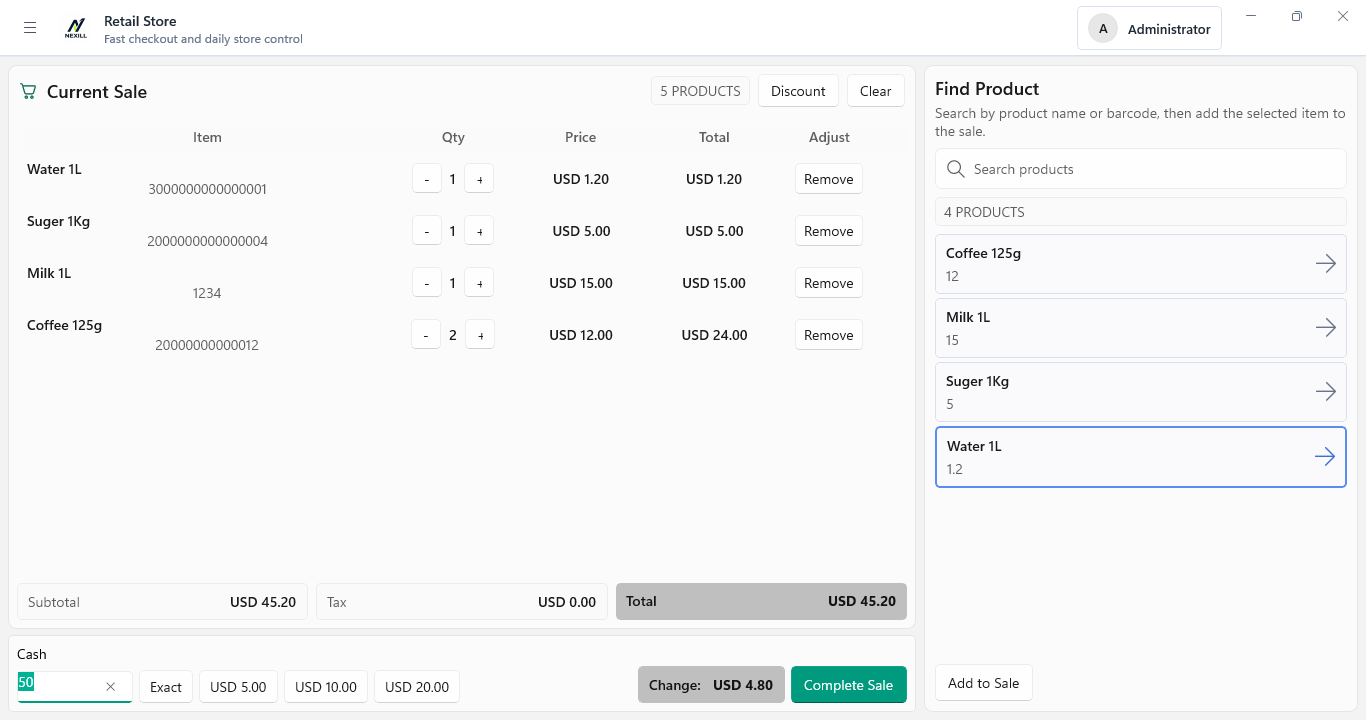
Checkout flow preview showing product search, sale review, tender recording, and receipt completion

Why this matters

Less pressure at the counter

Trust grows faster when buyers can see how checkout, products, and daily store control work together in one clear workspace.

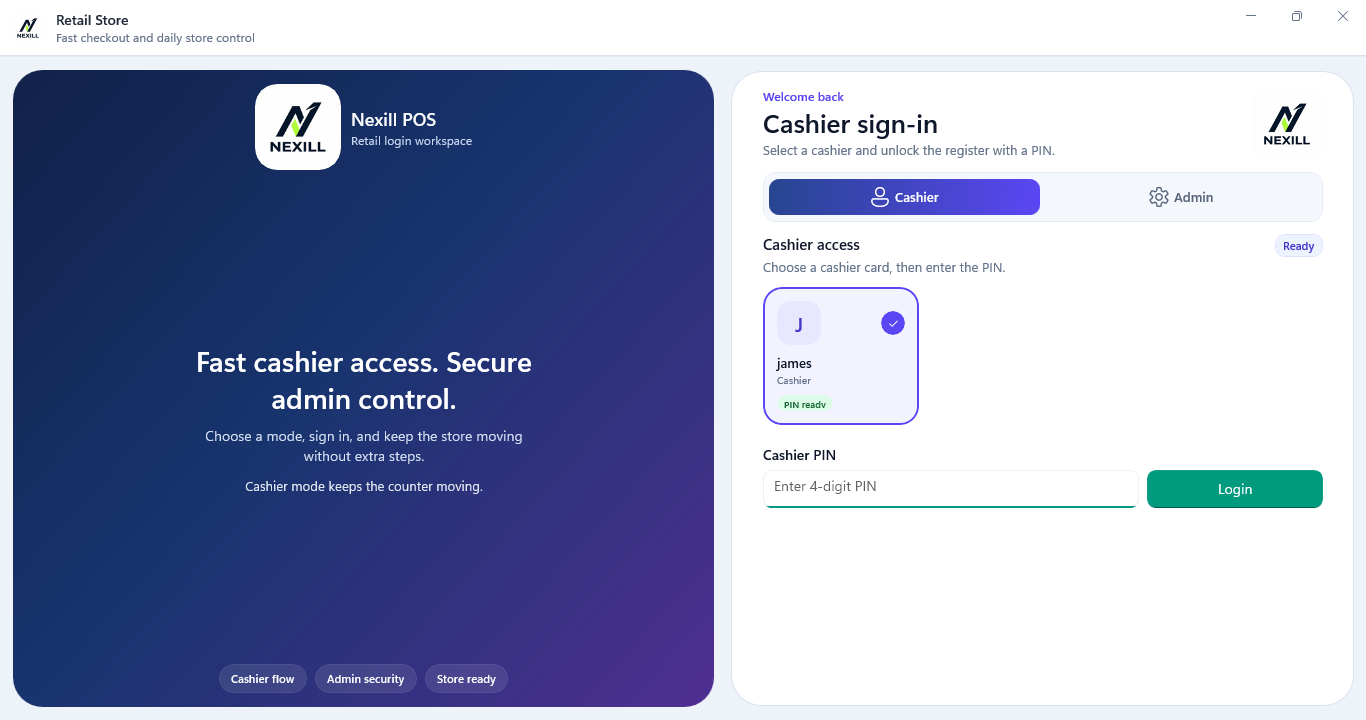
Cashier workspace preview showing sign-in and cashier access

Built for the counter.

A practical retail application designed for speed, stability, and daily store control.

Freedom to Choose Your Payments

We believe you shouldn't be locked into a payment processor. Nexill makes it easy to record sales while you process cards on whatever standalone payment terminal works best for your business.

Works with the Hardware You Love

Whether you prefer a traditional desktop, a sleek touchscreen POS, or a rugged Windows tablet, Nexill feels right at home. It easily connects to the receipt printers and barcode scanners you already own.

Feel in Control of Your Store

Manage your inventory, review end-of-day reports, and confidently hand over the counter to your staff. Everything you need to run your day smoothly is right here, even if the internet drops.

How the store day flows

From opening to close, keep the day more organized

Nexill is built for the real rhythm of small retail: starting the day, selling steadily, handling routine issues, and closing with clearer records.

Phase 01

Start the day with a clear setup

Open the store with products, users, and settings already in one place, so staff can begin the shift with less guesswork.

  • Clear staff access at sign-in
  • Store settings ready for daily use
Phase 02

Keep checkout moving

Use a selling flow that is easy to read, easy to repeat, and built for the real pace of the counter.

  • Faster product lookup and sale review
  • Clearer cashier actions during a sale
Phase 03

Handle routine issues with less friction

Returns, tender changes, and day-to-day interruptions are easier to manage when the workspace stays clear and organized.

  • More controlled cashier decisions
  • Less confusion during exceptions
Phase 04

Close with cleaner records

Finish the day with receipts, sales history, and core reports that are easier to review and easier to explain.

  • Stronger daily close routines
  • Better visibility after the last sale

Capabilities

Everything You Need to Run a Calmer Checkout

Nexill brings the daily retail essentials into one welcoming system: checkout, products, staff, reports, and store settings built for the realities of running an independent shop.

Store overview

Keep daily activity easier to review

From front-counter selling to after-sale follow-up, Nexill helps keep the store clearer and easier to manage.

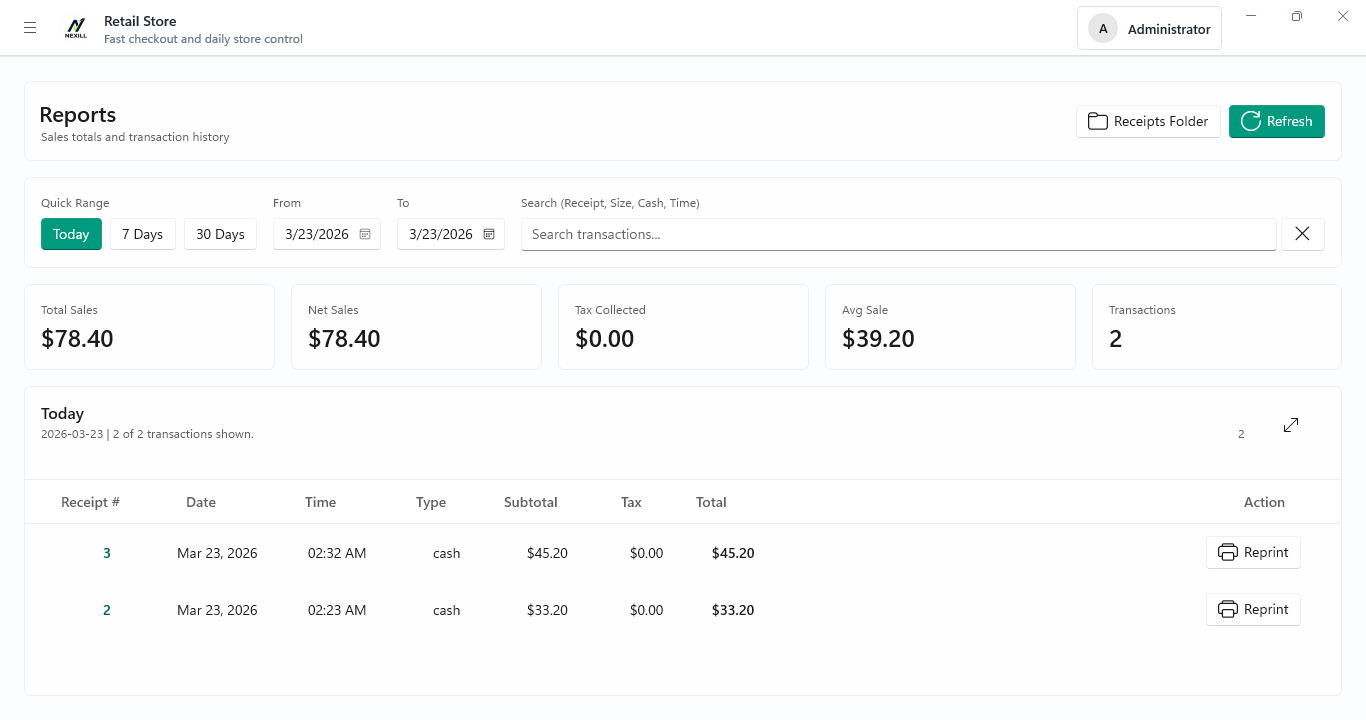
Dashboard and store activity preview showing sales totals and transaction history

Checkout speed

Keep routine sales moving

The checkout flow is designed to reduce hesitation and help staff stay focused on the current customer.

Inventory clarity

See products and stock more clearly

Review product details and stock-related information in a system built for day-to-day store work.

Hardware fit

Adapts to Your Counter Setup

From traditional desktops to modern touchscreen point-of-sale displays and Windows tablets, Nexill is flexible enough for your store.

Reliability

Offline-first where it matters most

Keep selling and managing the store from one local workspace designed for day-to-day continuity.

Onboarding

Simple to install, with help available

Download the installer directly, and reach out when you need help with setup, rollout, or store fit.

Store fit

Designed for Independent Retailers Who Value Simplicity

Nexill is for store owners who want to relieve checkout anxiety, keep their data close, and empower their staff with a system that just makes sense—especially for those who value the freedom of their own standalone payment terminal.

New store setup

Start your business right with a calm, organized checkout flow from day one, making training a breeze for your new staff.

Standalone payment setups

Perfect for owners who love their current card reader but are desperate for better software to manage the rest of the sale.

Independent retail shops

A comforting upgrade for hardware stores, specialty shops, and beloved local businesses that need a dependable Windows computer, touchscreen, or tablet to anchor the counter.

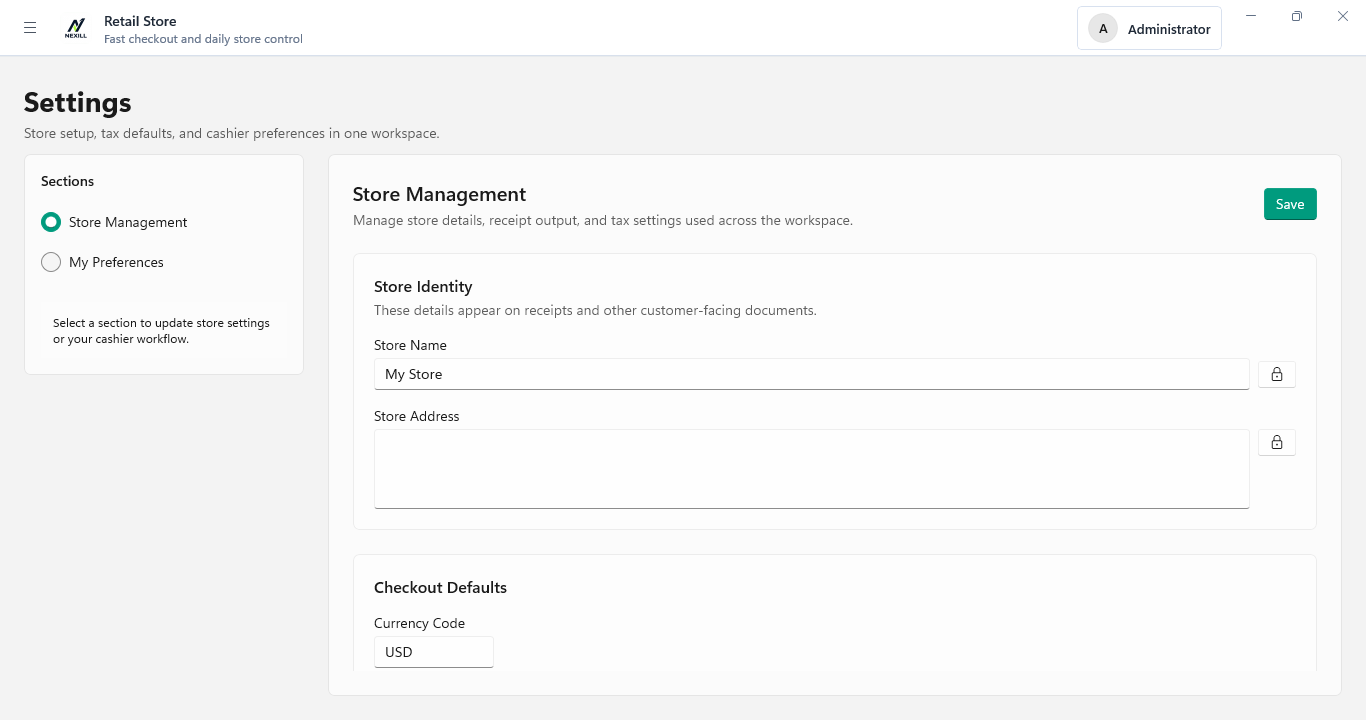
Setup and rollout preview showing store settings and cashier preferences
Environment Windows-based store counters
Core posture Offline-first daily operation
Download path Direct Windows installer with setup help available

Support

Support should make the next step feel easier

Talk to Nexill about store fit, rollout planning, or day-to-day questions before and after install.

Route 01

Ask about store fit

Talk through your workflow, hardware, and daily store routine to see whether Nexill is the right match.

Route 02

Plan setup and rollout

Get help with installation, training, and the practical steps of putting the system into daily use.

Route 03

Get product help

Reach out with questions tied to real checkout, product, reporting, and store-operation workflows.

Ready to get started?

Ready to try Nexill POS in your store?

Download the Windows installer and see how Nexill fits your daily workflow. Setup help is available when you need it.